Use of registration
Consiglio
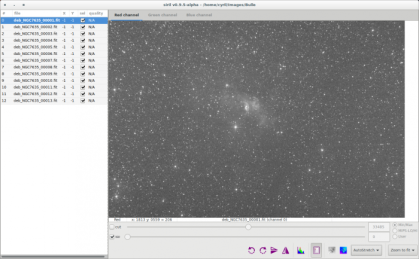
After debayering (if useful), the new sequence is loaded and you can check it in the image sequences tab.
From this tab, you can change the image being viewed in the grey and color windows, include or exclude them from a user-defined selection that will later be used to indicate which files should be stacked or not, and set the reference image.
While browsing through the images of the sequence, a reference image may be set to a specific image if you think it has a better quality than the others, or if it is best centred. Note that when the reference image is set, it will be saved in the sequence and it will be opened first when loading the sequence the following time.
Schermata
- 1

An alternative to the use of buttons of the sequence tab is to use the sequence list. Click on the dedicated button

Suggerimento
We align the images on the best channels. Usually it is green.
Others will actually follow this alignment.
At the end it is possible to do an RGB alignment if we have an offset.
To make registration, just click on Go Register button. Everything will be automatic.
The algorithm tries to match triangle patterns in order to align images.
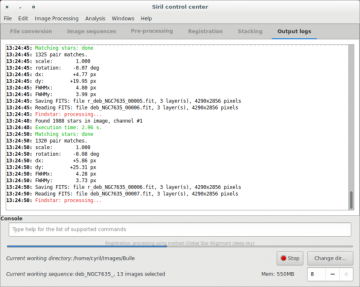
Nota You can check each step of registration in the console output. ⚓
Nota
A new sequence will be created and automatically loaded at the end of the process. In addition, an average of FWHM is computed and provided in this sequence. It is thus possible to select best images for stacking.
Esempio Information displayed in the Output logs tab⚓
11:24:32: Findstar: processing...
11:24:32: Found 113 stars in image, channel #0
11:24:32: Execution time: 161.35 ms.
11:24:32: Matching stars: done
11:24:32: 62 pair matches.
11:24:32: scale: 1.000
11:24:32: rotation: -0.02 deg
11:24:32: dx: -7.18 px
11:24:32: dy: +3.30 px
11:24:32: FWHMx: 2.98 px
11:24:32: FWHMy: 2.54 px
11:24:32: Saving FITS: file r_ring_00015.fit, 1 layer(s), 1296x960 pixels
11:24:32: Reading FITS: file ring_00016.fit, 1 layer(s), 1296x960 pixels
SuggerimentoSpecial cases with low sigma/noise ratio⚓
In some cases, due to high noise level, automatic registration gives wrong results by confusing noise and stars during star detection. To overcome this issue, Siril provides adjustable parameters offering a better tool detection. These parameters are located in the Dynamic PSF window.
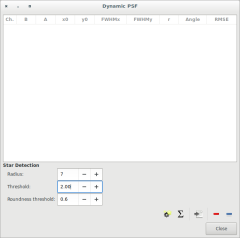
In this case, increasing threshold value will give better results.