Pre-processing and FIT images
Nota
The pre-processing does not overwrites original FITS files from the sequence but creates new FITS files with the pre-processed data.
The new file names are the same than the original prefixed with pp_ if you leave the default value in the prefix box.
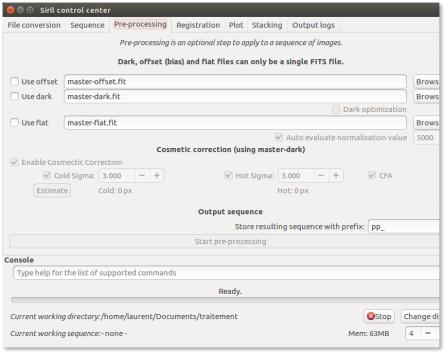
Below is an example of pre-processing using offset and dark files.
Make sure that loaded sequence is the sequence of your light frames.
Also, note that at the end of the process, the new sequence is automatically loaded.
Suggerimento
Since 0.9.2 version, a new tool is available in the pre-processing tab: cosmetic correction. This tool search deviant pixels through master-dark and will correct them. You always should use this tool if you own master-dark. Please, pay attention to the CFA box. Check it if your monochrome pictures are CFA images. If you don't have master-dark (which should be avoided), you could use automatic cosmetic correction tool available through the image processing menu.
EsempioResults examples⚓
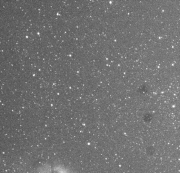
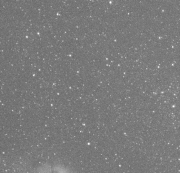
The result of a single frame pre-processed is given below. Note how dust have been removed from the light frame.
 |  |
Esempio
Another example of a well executed pre-processing stage is illustrated in the next animation. Look how the pixels of the thermal signal are removed from the picture.